Good halftone printing is usually a balancing act between detail and stability. It’s possible to push for extremely fine dots and high resolution, but that doesn’t always produce the cleanest print once ink hits the shirt. Instead, mesh count, exposure, screen tension, and dot shape all affect how well those halftones survive the production process.
Here’s a quick rundown of how this plays out in practice and what you should know about halftone screen printing in general.
At a Glance: Common Halftone LPI Settings
| LPI | Features | Recommended Mesh (in threads per inch) |
Best Use Case |
| 35 LPI | Lower detail but very stable and easy to print | 160 | One-color prints and manual presses |
| 45 LPI | Good balance between detail and print consistency | 205 or 255 | Standard process and simulated process printing |
| 55 LPI | High detail but less forgiving and harder to reliably maintain | 305 | Highly detailed process printing |
The Role of Halftones in Screen Printing
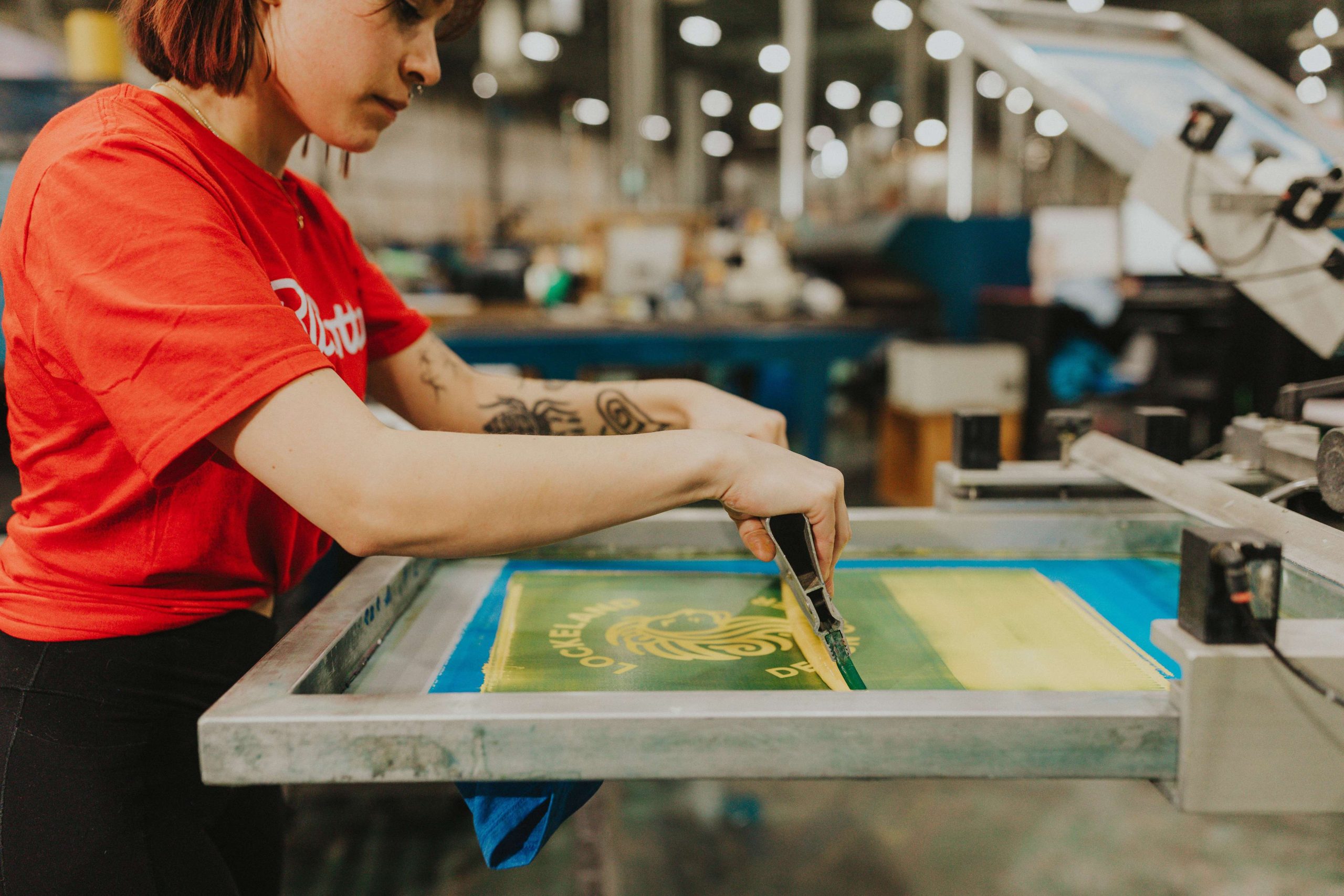
Halftones are used to recreate continuous-tone artwork using individual printed dots. That usually means photographs, gradients, shadows, or detailed illustrations that can’t be reproduced with solid blocks of ink alone. The printer converts those tones into patterns of dots that vary in size and spacing, allowing the eye to interpret the image as a full continuous-tone print when viewed at a distance.
The challenge is that those dots still have to survive every stage of production:
- Screen exposure
- Washout
- Screen tension
- Ink transfer
- The actual print stroke itself
Matching Mesh Count to Halftone LPI
As a general rule, the mesh count should be around four to five times the LPI. For example, a 45 LPI halftone typically prints well on a 205 mesh screen (measured in threads per inch).
If the mesh is too low for the halftone frequency, detail starts breaking down quickly. Dots may fill in, disappear entirely, or print inconsistently across the design. Fine shading gets muddy, and highlights can collapse together instead of staying clean and separated.
This is one of the reasons that halftone artwork can’t simply be dropped into any standard screen setup without adjustments. The designer and screen room need to be aligned on the intended LPI from the start because the mesh selection affects how much detail the print can realistically hold.
Exposure and Screen Setup Can Make or Break a Halftone
Even with the correct mesh and artwork setup, halftones can still fail during screen exposure. Small variables make a big difference here:
- Emulsion thickness
- Screen tension
- Exposure time
- Washout consistency
- Halftone dot alignment against the mesh
The last issue is what can sometimes create moiré patterns, which is where interference between the mesh and dot pattern creates visible distortion in the final print.
One simple way to monitor exposure quality is by including a halftone strip alongside the registration marks during production. A strip ranging from 0% to 10% acts as a quick visual check to confirm whether the smaller dots survived the exposure process correctly.
In screen printing, holding an 8% dot consistently is generally considered to be a high-quality print. Smaller dots are technically possible, but they become much harder to reliably reproduce across repeated setups and production runs. That matters more than pushing for extreme detail that may not survive press conditions.
Choosing the Right Halftone LPI
35 LPI
35 LPI is about as low as most shops should go for halftone printing, but it still has a strong use case. It works well for one-color prints, including heavier white ink prints on dark garments. Lower LPI settings are also easier to push through the screen, which also makes them useful on manual presses where thicker ink flow matters more.
A standard 160 mesh screen usually handles 35 LPI comfortably. The tradeoff is detail; lower frequencies don’t reproduce delicate gradients or complex process printing nearly as well.
45 LPI
45 LPI is typically the sweet spot for general process printing; it provides noticeably more fidelity than 35 LPI while still remaining stable enough for consistent production. Most shops already have plenty of 205 and 255 mesh screens available, which makes it practical for everyday process work.
For many designs, 45 LPI offers the best balance between image detail and reliable print performance. It’s also generally considered the minimum frequency for process printing where smoother gradients and cleaner tonal transitions matter.
55 LPI
55 LPI is used for highly detailed and delicate designs where preserving subtle shading becomes the priority. At this level, the human eye starts blending the dots together naturally from a short viewing distance, making the print appear much closer to a continuous-tone image.
The challenge is stability. Although 255 mesh screens can work here, a 55 LPI setup typically requires 305 mesh screens, which are more difficult to maintain repeatedly. The tighter mesh is more fragile overall, and more time is lost to restretching compared to lower mesh counts.
Higher LPI also doesn’t always improve one-color prints. In many cases, a one-color design that looks bold and clean at 35 LPI can start looking faded or washed out at 55 LPI because the dots become too delicate.
Choosing the Right Halftone Angle and Dot Shape
Because screen mesh runs vertically and horizontally, halftone dots need to sit at an angle that allows them to adhere to the mesh cleanly instead of falling into the gaps between threads. Some printers prefer a 45° angle because it splits the difference between the mesh directions. That approach can work, but it may also increase the risk of interference patterns or moiré in certain situations.
Instead, we’ve found that a 22.5° angle consistently produces cleaner and more stable results. The dots hold their shape better on the mesh, gradients stay smoother, and the final print maintains better fidelity to the original artwork.
Dot shape plays a role as well. Most RIP and design software gives several options, including:
- Round
- Diamond
- Ellipse
- Line
- Square
- Cross
Each has a purpose, but we find that the best results use an ellipse shape at a 22.5° angle. That combination adheres to the mesh more reliably and produces cleaner image quality once printed onto the garment.
The Takeaway: Consistency Matters More Than Maximum Detail
In practice, cleaner halftone printing usually comes from controlled, repeatable setups:
- Matching mesh count correctly
- Choosing a realistic LPI
- Maintaining stable exposure conditions
- Building screens that can reliably hold detail under production conditions
The goal shouldn’t necessarily be to create the most detailed halftone possible; it should be to create one that survives the entire print process cleanly and consistently once ink actually hits the shirt.