




Help Center
No results found. Please try another term.
Need more help?
Ordering
Hey, we’re all about making your moment shine without breaking the bank! Here’s the scoop on what shapes the price of your BlueCotton order. It’s like a recipe: tweak the ingredients, and the flavor (aka price) changes!
- One Design, One Order: All shirts with the same exact design count as one order.
- Garment: Brand and style matter—Gildan, Jerzees, and Hanes keep it wallet-friendly, with faves like Gildan 5000 and Jerzees 29M for top value. White shirts are cheaper than colors. Extended sizes (2XL and up)? Add $2/shirt and up.
- Quantity Magic: The more you order, the lower the price per tee—bulk discounts are your friend!
- Inks & Locations: Fewer ink colors and fewer locations (front, back, sleeves, etc.) = lower cost. More colors or locations? Price ticks up a bit.
- Mixing Shirt Colors: Want the same design on different shirt colors? You’ll still snag that bulk discount! Just design it in our Design Studio, add your first color and quantity to the cart, then hit “Add to another garment” to switch colors or styles. Repeat ‘til your cart’s full—discount applies automatically!
- Different Designs: Ordering multiple designs? Each one’s its own order, so a batch of 100 shirts with four designs (25 each) gets priced at 25 per design, not 100 total.
How to Get a Quote? [VIDEO INCLUDED]
- Easy-peasy! Click “Quick Price” on our site. Pop in your quantity, decoration method, decoration colors for front and back, then hit “Browse Products”—you’ll see costs for white and colored shirts across styles site wide. Add $3/shirt for each name or number if you’re personalizing. Compare away! Need more precise help for something trickier? Call us at 1-800-536-1435—we’re here to help.
Free With Every Order—Because You’re Awesome!
- Design checked by our pro artists
- Guaranteed delivery dates
- 9 BlueCotton team checks for perfection
- Free shipping to all 50 states
- In-house production from Kentucky
- Top-notch customer service
- Satisfaction guaranteed
Ready to craft your perfect order? Play with those variables, grab a quote, and let’s make a memory that lasts—without the price-tag stress!
At BlueCotton, we’re all about marking your moment, whether it’s a small group or a massive crowd! Our minimums are super flexible because we know every group deserves to shine.
- Screen Printing and Embroidery: just 6 pieces
- Promotional Products: Minimums vary by item, so we’ve got options!
But here’s the big news: our Bowling Green, KY team—printing since 1991—has the production muscle to crank out thousands of shirts, hats, or whatever you dream up. Whether it’s 6 tees or 6,000, the same BlueCotton crew pours the same love into every detail—think 9 team checks, pro artist reviews, and in-house magic from start to finish. No order is too small or too big for us to care big-time.
Hey, we’re all about making it smooth and simple to mark your moment with BlueCotton! Here’s how you can pay:
- Credit Cards? You Bet! We take Discover, Visa, Mastercard, and American Express. Just pop in your info at checkout—make sure the billing address matches what your credit company has on file, and we’re good to go. Accurate details = speedy processing!
- Other Cool Options: Prefer digital? We accept PayPal and even Bitcoin via BitPay—quick, easy, and ready to roll.
- Purchase Orders (POs) for the Win: Schools, government entities, and some businesses, this one’s for you! We’re happy to work with most POs. At checkout, fill out the PO form in the payment section and send us the doc one of three ways:
Upload it during checkout (boom, done!).
Email it to tshirts@bluecotton.com.
Fax it to 1-800-868-1560.
We need that physical copy in hand before we fire up the presses—expect your order 10 business days from the day we get it.
- Tax Exemption? Yep, We’ve Got That! If you’re tax-exempt, we’ll hook you up. Just upload your state tax exemption form during checkout, and we’ll zap the tax right off your invoice. Easy as that—more savings for your moment!
- Payment Up Front? Yep! Unless you’re using a PO, we’ll need full payment locked in before shipping. If there’s a hiccup (like extra garment costs or a payment glitch), we’ll reach out to sort it fast—no surprises, just teamwork.
No matter how you pay, our team is on it—checking every detail so your tees land just right. Got a question? Hit us up on chat, 800-536-1435, or email tshirts@bluecotton.com.
Hey, we get it—sometimes plans shift, and your moment needs a little tweak, but once your order’s in motion changes can be tricky.
Here’s the lowdown:
- Switching Sizes? Sure, if you're quick! You can tweak sizes after placing your order, but we’d rather you nail it upfront unless it’s a must-fix. If you need to swap, call us ASAP at 800-536-1435—the faster, the better—to keep things humming along.
- Adding More Shirts? Want to bump up your count? You can add shirts, but the clock is ticking! Call our team right away—the sooner you do, the more likely we can make it work. Heads-up: adding shirts could nudge your production timeline back a bit, so they’ll land later than planned. Rush, Super Rush, and Shirts In A Day orders are locked in tight—no changes there.
We are all about getting your tees just right, but once we fire up the presses or thread those needles, it’s tough to hit pause. So, double-check your sizes and quantities before you hit “order,” or give us a shout lightning-fast if you need a tweak.
Ready to bring back a fave and mark the moment all over again? We’ve made reordering your BlueCotton design a breeze, whether you’re clicking online or calling in! Here’s how to get those tees rolling:
Online—Quick & Easy!
- Head to your account on our site
- Swing over to “Your Orders.”
- Spot your design, click the Order Number, and hit the “Reorder” button to toss it in your cart.
- Want to mix it up? Click “Edit Quantities” to tweak sizes or “Edit” to switch garment style or color.
You can also peek in the “Saved Designs” section of Your Account—same deal, just a few clicks, and you’re set!
Need a Hand? Call Us! If you’d rather chat it out or need extra help, give us a shout at 1-800-536-1435.
To make it super smooth, have these ready:
- The name on the original order (bonus points if you’ve got the order number!)
- Sizes and shirt color you want
- Shipping and billing addresses
- The date you need it in hand.
Our team has your back—we’ll dig up your design and get it firing on all cylinders, no sweat.
Whether you’re clicking or calling, we’re all about keeping your memory alive with the same care and quality. Let’s make it happen again!
Hey, we totally get it—you want to see your moment come to life before the big reveal! We're happy to hook you up with samples—here’s how it works:
- Printed Samples—Big Orders, Big Love! If your order is over 250 pieces, we’ve got you—we’ll whip up a printed sample for free, so you can check out that design in all its glory. For smaller orders, you can still snag a printed sample for a $100 fee—just a little something to cover the magic. When you place your bulk order we'll credit the $100 toward your purchase - risk free!
- Blank Garments—Want to test the shirt itself? We can send blank garments your way, usually for a small fee. Perfect for sizing up or feeling the fabric before we mark it with your masterpiece.
- How to Get ‘Em? Easy—reach out to our sales team! Call us at 800-536-1435 or shoot an email to tshirts@bluecotton.com, and a friendly rep will help you out. Tell us what you’re dreaming up, and we’ll make it happen.
Whether it’s a sneak peek or a blank tee to try on, we’re all about getting it just right for you. Ready to see your memory take shape? Let’s roll!
Hey, first time rounding up tees for your crew? No worries—we’re here to make it a blast and mark your moment like pros! Ordering for a group with BlueCotton is easy-peasy. Whether it’s a family reunion, team rally, or big bash, here’s how to nail it:
Step 1: Dream It Up! Hop into our Design Studio, pick your garment, and create that killer design—something your group will wear with pride for years. Drawing a blank on your design? Check out our Design Ideas to jump start the creative process!
Step 2: Size It Right! Never ordered for a crowd before? We’ve got a handy size run to start with: 15% Small, 35% Medium, 30% Large, 15% Extra Large, and 5% 2XL. So, for 100 shirts, that’s 15 S, 35 M, 30 L, 15 XL, and 5 2XL—covers most crews like a charm! Tweak it if you know your group leans bigger or smaller (say, a kids’ camp or a gym squad), and add a few extras for last-minute joiners. Pro tip: 2XL and up have a shirt upcharge, so plan that in!
Step 3: Add to Cart & Roll! Pop in your quantities by size, hit “Add to Cart,” and check out. Want different colors with the same design? Use “Add to another garment” in the cart—bulk discounts still apply! Want to cut out the guesswork? Contact us to set up a custom link so everyone in your group can order individually but still enjoy the bulk discount!
Need a Hand? If you’re scratching your head on sizes or anything else, give us a shout at 800-536-1435 or email tshirts@bluecotton.com. We’ll jump in to make sure your group is geared up just right.
From 6 shirts to 6,000, our team has the muscle and the heart to make it happen—every order gets the same love with 9 checks and a guaranteed delivery.
Ready to outfit your gang? Let’s get this party started!
Design Studio

1. Order Details - Find your product, product color, and order quantity here. Once all details are correct you add to cart!
2. Add Text - Type your text, click "add text", then customize alignment, font, color, outline, shadow, shape and even spacing.
3. Add Clipart - Choose from over 40,000 clipart options organized by categories.
4. Upload Image - Have your own images or a design ready to go? Use this tool to upload the image(s). You can adjust placement and sizing in the Design Studio.
5. Add AI Art - Use our text-to-image technology to help create the design you're imagining! Prompts are key to landing on the perfect design. Use adjectives about the style of graphic as well as elements to include. Need help? Check out our tips and tricks on prompting!
6. Names & Numbers - Customize your design with names and numbers on the back. You can add one or both. Get started by adding your quantities then you'll customize each size with the name and number.
7. Product - Change your product by clicking the arrow.
8. Color - Change your shirt color by clicking the arrow.
9. Quantities - Add shirts to your order! Scroll down for youth sizes (if available). Be sure to click DONE at the bottom.
10. Add to Cart - Click this when your design is done and all quantities are added. You can begin the checkout process, add that design to another garment, or create a new design to add to the cart!
11. Upload - Upload images to your design.
12. Add Art - Add clipart to your design.
13. Add Text - Add text to your design.
14. Start From a Template - Browse our designs to kickstart your creativity. Change text, colors, and images in the Design Studio.
15. Undo - Remove your last action taken on the t-shirt design.
16. Redo - Add back the last action removed from the t-shirt design.
17. Distress - Select to add a vintage look to your design.
18. Zoom - Zoom in on your design.
19. Rotate - Flip the garment from front to back, to left sleeve, to right sleeve. Sleeve locations are labeled at the top of the screen.
20. Open Design - Select a design previously created or browse our templates.
21. Browse Templates - Browse our designs to kickstart your creativity.
22. Save Design - Save your design for later.
23. Share Design - Share your design with others.
Hey, got some killer art ready to mark your moment? Uploading it into our Design Studio is a snap, and our crew is here to make it pop on your garment! Here’s the scoop on getting it just right:
Step 1: Bring Your A-Game! Head to the Design Studio, hit “Upload Image” on the left-hand toolbar, and drop in your masterpiece. We’re talking your own logo, doodle, or photo.
Step 2: Resolution Rocks! Aim for 300 DPI or higher—crisp is king! Size it to print—like 10” wide x 11” high if that’s your plan—and keep it at 300 DPI. Too small or fuzzy? It might blur when we scale it up to that 13” x 15” max print zone. Check out our blog for the full lowdown!
- link: https://www.bluecotton.com/blog/design-studio/the-lowdown-on-uploaded-images/
Step 3: File Types We Love! We play nice with these: .png, .jpg, .jpeg, .pdf, .ai, .eps, .psd, .tiff.
Pro Tip: Test it out—upload, preview, and tweak! If it’s not popping like you dreamed, tweak the size or resolution, or call us at 800-536-1435 or tshirts@bluecotton.com. Our art team is ready to jump in and polish it up!
Switching up your product in our Design Studio is a total breeze! Here’s how to find the perfect shirt for your moment:
- Click "Order Details" on the top left then just to the right you'll see “Product”. Boom—you’re in!
- Browse by categories (tees, hats, hoodies, oh my!) then narrow down your selection.
- Pick your new fave, and your design hops right over—ready to shine.
Want a pro tip? Play around ‘til it feels just right—our 40,000+ clipart, font stash, and design templates are waiting to make it pop!
Adding names and numbers in our Design Studio is a snap, and makes every shirt a personal win! Here’s how to mark your moment with that custom kick:
How It Works: Jump into the Design Studio, spot the “Names & Numbers” feature on the left side, and type in each name and number for your sizes. Pick from 16 bold colors (red-hot, cool blue—you name it!) and a font that vibes—boom, you’re personalizing like a champ! Standard placement is on the back, but keep reading for front options!
Why It’s Awesome: It’s your chance to personalize every shirt —think teams, events, or that reunion where “Aunt Sue” shines—while enjoying the bulk discount of a group order!
Front of the Shirt? Let’s Talk! Want names and numbers on the front? The Design Studio sets ‘em up on the back by default (keeps it clean!), but we can totally hook you up with front placement too. Just give us a shout at 800-536-1435 or email tshirts@bluecotton.com—tell us you want ‘em front and back (or front only!). There’s an extra charge for the double-duty (worth it for the wow!), and a friendly rep will walk you through the cost.
Pro Tips: Keep names short—“Jen” over “Jennifer-Mae”. Stick to 1-99 on numbers for max punch. It’s $3 per shirt per name/number.
Need Help? If you’re stuck or dreaming up something wild, call or email us—our crew’s ready to jump in and make it perfect.
Our Design Studio has over 200 fonts (yep, we’ve got a ton!) to turn your words into expert-level awesomeness! Whether it’s a snappy slogan or a big bold name, here’s how to add text and make it pop:
Step 1: Drop the Words! On the left-hand toolbar, click “Add Text”—bam, a text box lands on your garment. Type whatever’s on your mind and let’s get rolling!
Step 2: Style It Up! Use the left panel to tweak it like a pro: pick from over 200 fonts, switch up the color, add an outline or shadow for extra zing, curve it into a cool shape, or bump the size and positioning ‘til it’s just right. Want it bold for that 13” x 15” print max? Go big—our art team’s got your back to keep it crisp!
Pro Tips: Keep it short and punchy—“Go Team!” over a novel. Mix it with clipart or names for a layered look, and if you’re matching ink to text color, drop a note in “Special Instructions” (under Order Details after sizes)—we’ll sync it up! Oh, and tiny text under ¼” is trouble for embroidery orders.
Need a Boost? If you’re stuck on fonts or placement, hit us up on chat, at 800-536-1435, or tshirts@bluecotton.com—our crew’s ready to brainstorm and make it shine.
Hey, ready to jazz up your tee? Our Design Studio’s got over 40,000 clipart options waiting to help you mark your moment! Here’s how to add and tweak clipart like a pro:
Step 1: Find the Magic! On the left-hand toolbar, hit “Add Clipart”—it’s your ticket to the good stuff.
Step 2: Pick Your Fave! Search for something specific (like “pizza”) or browse our categories—sports, animals, holidays, you name it. Scroll until you find the perfect match!
Step 3: Make It Yours! Click your clipart to drop it on the garment, then resize, rotate, or move it wherever it pops best. Want color? Each preview shows the max colors you can play with. See 4 colors in the preview? You can switch up to 4—say, red, blue, green, yellow. Click the color boxes to tweak and watch it transform!
Pro Tip: Keep it bold and simple for that 13” x 15” print sweet spot—stack clipart with text or layer it up for extra wow. Stuck? Hit us up at 800-536-1435 or tshirts@bluecotton.com—our team is ready to spark some ideas!
With 40,000+ choices, you’re basically an art director now!
Hey, ready to unleash your inner artist without picking up a pencil? Our Design Studio’s text-to-image feature lets you type a few words and watch a custom t-shirt design come to life! Whether you’re dreaming up a quirky slogan tee or a bold graphic for your crew, this tool has the magic to mark your moment. Here’s how it works, why it rocks, and some pro tips to make it pop!
How It Works: Pop into the Design Studio, find the text-to-image tool, and type a description—like “a grinning shark surfing a rainbow wave.” Hit “Generate,” and it whips up a design faster than you can say “print it!” Tweak it, slap it on a shirt, and you’re golden.
Why It’s Awesome: No design skills? No problem! This feature saves you time, sparks wild ideas, and delivers one-of-a-kind art—perfect for standing out at events or gifting something totally unique. Use this tool as a design starter and our Design Studio to complete the project! Need a pro touch? Leave a note in the "Special Instructions" box within the studio to get a message to our art pros. Complete your order then we'll make the tweaks and send you a proof before heading to production. You are in control!
Dos for Great Prompts:
Keep it Clear & Fun: Try “a funky pineapple playing guitar” over vague stuff like “fruit music.” Specific prompts = better designs!
Add Style Direction: Toss in “cartoon style” or “vintage sketch” to match your vision—think “a neon cat in 80s retro art.”
Think T-Shirt Size: Aim for bold, simple shapes that shine at 13” x 15” (our max print area)—like “a giant red heart with stars.”
Test & Tweak: If “a dog in a spacesuit” isn’t quite right, add “on the moon” and try again—play ‘til it’s perfect!
Don’ts to Dodge Bumps:
Skip the Tiny Details: “A forest with 50 trees and tiny birds” might blur—keep it punchy, not picky.
Avoid Long Text: This tool isn’t a font wizard—stick to short phrases like “Rock On!” over paragraphs. Add text later in the Design Studio if needed!
Don’t Go Too Wild: “A photo of my grandma” won’t work (no real people!), and copyrighted stuff like “Mickey Mouse” is a no-go—keep it original.
Don’t Rush the Rush: Complex prompts might need a few tries, so give it a sec to cook up the good stuff.
Stuck? Hit us up at 800-536-1435 or tshirts@bluecotton.com—our team’s ready to brainstorm with you! With this tool, you’re the designer, and we’re the muscle to make it real.
Hey, got a killer design brewing but not quite ready to hit “order”? Whether you’re still perfecting that masterpiece or just need a breather, here’s how to save your creation in the Design Studio:
Step 1: Craft Your Magic! Dive into the Design Studio and whip up or tweak your design—clipart, text, the works.
Step 2: Hit Save Design! Spot the “Save Design” button at the bottom of the designer? Click it—your ticket to keeping that gem safe!
Step 3: Log In or Sign Up! If you’re not logged in, we’ll nudge you to sign in or create a free account real quick—takes two secs and unlocks your design vault.
Step 4: Locked & Loaded! Once you’re in, save it, and boom—it’s tucked away under “Your Account” in “Saved Designs.” Come back anytime to tweak, share, or order when the moment’s right!
It’s like hitting pause on your creative flow. Need a hand? Call us at 800-536-1435, chat, or email tshirts@bluecotton.com.
Need a head start on marking your moment? Our Design Idea Templates in the BlueCotton Design Studio are like a creative cheat code! Whether you’re ordering for a team, party, or just some quick inspo, here’s how to dive in and make it yours:
Step 1: Hit the Studio! Swing over to the Design Studio on BlueCotton.com—your playground awaits!
Step 2: Browse Templates! Spot the “Start from a Template” button under Add to Cart or "Browse Templates" option in the bottom toolbar. Click it, and bam—design goldmine unlocked!
Step 3: Browse the Goods! Scroll through a stash of pre-made designs—think bold slogans, cool graphics, and event-ready looks. There’s something for every crew!
Step 4: Pick Your Winner! Find one that’s screaming your name? Click it to place it on your garment—easy as that!
Step 5: Jazz It Up! Make it you—swap out text, tweak colors, or toss in extra graphics. Play ‘til it’s a total masterpiece!
It’s like we’ve done the heavy lifting so you can shine! Need a nudge? Contact us through chat, at 800-536-1435, or tshirts@bluecotton.com—we’re here to spark your next big idea.
Hey, ready to make your custom apparel totally yours? Picking your brand, style, and design kicks things off, but nailing the perfect placement and size? That’s where the magic happens!
Our Design Studio is loaded with placement options—shirts, pants, hats, visors, you name it! The max print area is 13" wide by 15" tall, though some garments and decoration locations have smaller limits. You’ll see a max imprint box on every item—keep your design inside, and you're good; anything outside won’t make the cut.
Check out the three images below for a quick guide on where designs can go and the sweet-spot sizes for each location.
Suggested Design Sizes for Tops (shirts, crewneck sweatshirts, and hoodies)
- Full Front - 8"-12" wide
- Left Chest - 3"-4.5" wide
- Above Pocket - 3"-4" wide
- On Pocket - 3.25" wide
- Full Back - 10"-13" wide
- Back Collar - 1.5"-4.5" wide
- Full Sleeve - 10"-15" wide
- Shoulder - 3"-3.5" wide
Heads-up—some garment features might trim your print space! Take a hoodie: it can take a 13" wide x 15" tall design, but that kangaroo pocket means your artwork won’t stretch to the max height. 
Suggested Design Sizes for Pants and Shorts
- Pants Right or Left Hip - 3"-4.5" wide
- Pants Left - 10"-15" tall
- Shorts Right or Left Leg - 3"-5" wide
Suggested Design Sizes for Hats and Visors
- Hat Front - 3"-4" wide
- Hat Side - 1"-3" wide
- Visors - 1.25" tall
Need a hand? Our Bowling Green, KY design team is here to help before you hit order! Got a tweak? Add it to the “special instructions” box in the Design Studio. We’ll review, and if changes need your okay, we’ll send an updated proof. For small stuff like spelling or alignment, we’ll fix it and keep rolling. We’re all about making sure you love your design—let’s get it just right!
Hey, got a special twist to make your moment pop or not sure about your design? The “Special Instructions” box in the Design Studio is your VIP line to our Art and Production team. Here’s how to drop the magic:
Find It! Swing over to the left-hand toolbar in the Design Studio—see that “Special Instructions” box? That’s your megaphone!
Spill the Details! Type in anything our team needs to know or review—like “can you remove the background from my image” or “please use my pms color 286c”.
It’s perfect for:
Special Artwork: Got a tweak for your design? Tell us how to make it shine!
Color Matching: Want that exact shade? Toss in a Pantone code or describe it—we’ll get it spot-on!
Placement & Sizing Questions: Not sure if it's centered or a good front left chest size? Just ask!
Why It Rocks! It’s your chance to team up with our pros—think of it like a high-five to perfection. If there are slight tweaks, we'll make the adjustments and send to production. Some requests will result in our art team sending you a quick proof for approval. We won't produce unitl you approve!
Hey there, we’re all about marking your moment with a tee that’s totally you—but we’ve got to keep it legit too! The BlueCotton crew follows the rules on copyrighted or protected images—like logos, characters, or artwork owned by someone else. Think Disney, sports teams, or that cool band graphic you found online—if it’s got a copyright or trademark, we can’t print it unless you’ve got written permission from the owner. Why? We’re not about to tangle with Mickey’s lawyers, and we want your design to shine without any hiccups.
Here’s the deal: if you’ve got the green light from the rights holder (say, a letter or email saying “go for it!”), send it our way at tshirts@bluecotton.com with your order number, and we’ll roll with it. No permission? No worries—create something original in our Design Studio or tweak it with our text-to-image tool for a one-of-a-kind design that’s all yours. Need inspo? Our team’s here to help—call us at 800-536-1435! We’ll make sure your memory is a masterpiece, legally.
Product & Sizing
We get it's important to understand sizing! Click your favorite garment style on our site, and its product page pops up with colors, product details, and a “Size Guide” link below. Scroll down, tap it, and check the chart!. We measure chest width by starting 2” below the armpit. For length, we measure shoulder to hem. Still not sure? Reach out at 1-800-536-1435 or tshirts@bluecotton.com—we’re happy to help!
Hey, we’ve got sizes for every body—big, small, and tiny! Find your perfect tee with our filters—pick “Youth,” “Extended Sizes,” or “Tall” on the left side of our “Our Products” page to see just what you need! Infant or toddler tees? Not online yet, but we can get them—holler at 1-800-536-1435 or tap the chat icon. We'd love to help complete your order!
At BlueCotton, we understand it can be difficult selecting a t-shirt style that's right for your group. To help, we've included fit classifications for classic, relaxed, and semi-fitted to give you as much information possible to make the best choice!
Classic Fit
The classic fit t-shirt is your go-to for timeless comfort and style that never goes out of fashion. Crafted with a relaxed, straight-cut silhouette, these tees offer a perfect balance—not too tight, not too loose—making them flattering choices for everyone. Expect short sleeves that hit just right at the mid-bicep and a sturdy crew neck (or V-neck) with a ribbed collar that holds its shape wash after wash. Popular classic fit styles include the Gildan 5000, Jerzees 29m, and the Port & Company PC55.
Relaxed Fit
The relaxed fit t-shirt is all about laid-back feel in ultimate comfort. This tee’s got a roomy, easygoing cut—wider through the chest and waist for a slightly boxy, no-fuss silhouette that gives you all the space you need to move. The short sleeves are a bit longer, grazing closer to the elbow, and it rocks a classic crew neck (or V-neck if you prefer) with a tough ribbed collar that keeps it sharp. Popular relaxed fit styles include the Comfort Colors 1717, Bella + Canvas 7502, and the Carhartt Pocket Tee.
Semi-Fitted
The semi-fitted t-shirt brings a perfect mix of style and comfort. This tee hugs your frame just right with a slightly tapered chest and waist, giving you a modern, flattering silhouette that’s snugger than our classic fit but never as tight as a slim cut. The short sleeves wrap a bit closer to your arms, landing above the mid-bicep for a clean look. Popular semi-fitted styles include the Next Level NL3600, District DT6000, and the Tultex 241.
Still not sure? Take our Product Quiz to find the perfect style!
We’ve got tons of tees and goodies from top brands, but if your dream item is missing, don’t sweat it! Our team is ready to hunt it down—reach out and let’s make happen! Call us at 1-800-536-1435, email tshirts@bluecotton.com, or chat. We’ve got your back!
For best results, we recommend you hand wash your knit hats in cold water and lay flat to dry to maintain your hat’s shape..
There are many factors that go into the pricing of your custom beanie order including the style you choose and the quantity you order. Once you’ve designed your custom beanie, we can give you a cost estimate before you finalize your order.
We do offer several delivery options including regular free delivery to the lower 48 states. We also offer rush and super rush delivery for an added fee.
Next Level t-shirts come in a rainbow of amazing colors. Go subtle with Banana Cream or Heather Gray or make a bold statement with Tahiti Blue or Kelly Green. The best Next Level t-shirt is the one you make uniquely your own.
Decoration Options
Ready to mark your moment with some screen printing magic? Our Bowling Green, KY crew—screen printing since 1991—loves turning your vision into a wearable masterpiece. Here’s everything you need to know about how it works, where we print, how big it gets, and adding names or numbers!
How We Screen Print—Craft Meets Cool!
Picture this: we create a stencil of your design on fine mesh screens. This is how we do it. We coat the screen with emulsion, digitally print your image on the emulsion, expose it with light, then blast out the unexposed bits with water—bam, a stencil’s born! Each color requires its own screen. We use a squeegee to print the ink onto your shirt. After printing all the colors, it takes a quick trip through a high-heat dryer, and voilà—a custom tee ready to shine!.jpg)
.jpg)
.jpg)
How Big Can It Get?
We’ve got room to play—our max imprint size is 13 inches wide by 15 inches tall on both the front and back. Heads-up: that’s bigger than some shirts (especially Small and Medium). Your design will be printed at the same size on all shirt sizes. If your order includes youth sizes we scale your design down to fit.
Centered? Oh Yeah! Your design’s getting the VIP treatment—our team makes sure it’s perfectly centered, even if it looks a little off in the Design Studio. Want to double-check? Drop a note in the “Special Instructions” box at checkout, and we’ll lock it in before the presses roll.
Sleeve Prints? You Bet! Use the "Rotate" tool at the bottom right of the Design Studio to add a sleeve print in the Design Studio—keep it simple at 3.25" x 3.25" with up to two colors. For long sleeves, we can stretch it up to 15", depending on sleeve length and cuff width. Call us at 800-536-1435 or tshirts@bluecotton.com—we’ll see if we can make it work! (Sorry, no wraparound sleeve designs—gotta keep it flat on one side.)
Names & Numbers—Personalize It! Want to shout out your crew? Use the “Names and Numbers” feature in the Design Studio. We’ll craft individual names and numbers in your chosen font and one of 16 awesome colors.
Matching Colors? We’ve Got You! Garments and ink can look a little different on a monitor, but we’re pros at syncing ‘em up. Tell us in the “Special Instructions” box (under Order Details after sizes/quantities) what you want to match and we’ll tweak it in production.
Ready to stitch your moment into something unforgettable? Here’s the scoop on how it all goes down, from process to perfection!
How We Embroider—Art Meets Machine Magic! It starts with your design getting digitized—think of it like translating your artwork into a stitch-by-stitch playbook. Our pros convert that 2D image into a file our embroidery machines can read. Your garment gets hooped up tight, and the machine sews it out in a slick color sequence—bam, your vision’s now a wearable masterpiece! .jpg)
.jpg)
How Big Can It Get? Size depends on what you’re stitching! Here are our recommendations for standard embroidery sizes:
- Right or Left Chest (Pocket Area) - 3½" wide x 2½" tall
- Hats - 3½" wide x 2¼" tall
- Visors - 3½" wide x 1½" tall
- Text should be at least ¼" tall to keep it legible
What Designs Work Best? Simple is king for embroidery! Bold lines, solid colors, and text at least ¼" tall pop the cleanest—think logos or punchy words, not tiny details or gradients. Skip the shading, photos, or super-fine stuff—those get messy in thread. Less is more here—let’s make it stand out!
How Do We Match Thread Colors? With 44 thread colors in our toolkit, we’ve got plenty to play with. Unlike screen printing’s infinite ink mixes, thread’s a set crew—so our artists pick the closest match to your design. If it’s a big leap from your vision, we’ll ping you with a proof to approve first.
From digitizing to stitching, we’re all about bringing your design to life!
Hey, ready to take your tee game to the next level? Direct-to-Film (DTF) printing is the hot new kid on the custom apparel block and BlueCotton is pumped to bring this magic to your moments! It’s a slick digital process that’s all about vibrant colors and wild versatility. While screen printing is king at BlueCotton, we use DTF for select small orders (think 10 or less) with lots of colors. Here’s the lowdown on how it works, where it lands, and how to make it yours:
How We Do DTF—Tech Meets Wow! Picture this: we print your design onto a special film with water-based inks, then transfer it to your shirt ensuring your design is soft, smooth, and stretchy! DTF is our go to when smaller orders have dozens of colors or if your design's detail will lose integrity in screen printing. We've put our own twist on the process perfecting the final product for our customers!.jpg)
.jpg)
.jpg)
How Big Can It Get? We’re talking up to 13” wide by 15” tall—our max print area for front or back, just like screen printing. It’s big enough to make a statement but sized right for most shirts (watch those Small/Medium fits!). Want it elsewhere? We’ve got options—keep reading!
Where Can We Print It? Front, back, sleeves—you name it! DTF works beautifully on cotton, poly, blends, even nylon or leather—way more than DTG’s cotton-only option. Sleeve prints? Aim for 3.25” x 3.25” (or up to 15” on long sleeves, depending on the cuff). No wraparounds, though.
What Designs Work Best? Go wild—DTF loves full-color chaos! Photos, gradients, tiny details—it handles ‘em all with no color limits, unlike screen printing’s stencil. Keep text at least ¼” tall for clarity—small stuff can get lost in the transfer.
How Do Colors Pop? With no color cap, we match your vision as close as the digital rainbow allows. Want a specific shade? Drop a Pantone code or note in the “Special Instructions” box (left toolbar in the Design Studio)—we’ll tweak it ‘til it sings!
Our DTF prints are tough and stretch without cracking. Got a crazy idea? Call us at 800-536-1435 or email tshirts@bluecotton.com—our team’s ready to make it happen.
Shipping, Delivery, Returns
What are my shipping options?
Hey, we’re all about getting your BlueCotton order to you fast wherever you are! Here’s the rundown on how we ship, when you’ll get it, and what you need to know:
Standard Shipping—Free & Reliable! For the 48 contiguous states, your order lands in 10 business days or less from the day you hit “order”—guaranteed! (That’s Monday-Friday, minus holidays, via USPS or UPS.)
Need It Fast? Upgrade to:
- Rush (5 business days, +15% or $25, whichever is greater)
- Super Rush (3 business days if ordered by noon CST, +25% or $39),
- Shirts In A Day (1 business day if ordered by noon CST, +40% or $69)
All guaranteed for the 48 states. Super Rush and Shirts In A Day has a limited garment lineup, but we’ll hustle! (Sorry, no rush for military or international orders.)
Military addresses or APO/FPO? We’ve got free standard shipping via USPS too—just note delivery times vary by location, so order early if it’s for a big date.
International or Canada-bound? We ship standard-only—pick a quote at checkout, but heads-up: customs fees are on you (check with your local folks for the scoop).
Special Spots Like Hotels? Yep! Shipping to a hotel? Confirm they’ll take packages (some wait ‘til you check in), then give us the hotel name, your name, and full address. We’re not liable if they refuse it, so double-check their rules!
What We Need From You: A full U.S. address (no PO boxes)—think company name (if any), your name, street number/name, apt/suite details, city, state, ZIP. Military? Add unit and APO/FPO with 9-digit ZIP. International or hotel? Same deal, just nail those details!
Our crew’s on it—every order’s packed with care and a guaranteed delivery date, whether it’s 10 days or 1.
Hey, we get it—ordering custom tees online can feel like a leap of faith! At BlueCotton, we’re 100% committed to taking care of you, so here’s our promise: we’ll nail your order just the way you dreamed it up, delivered right on time. If something is off—like the design is wrong, the decoration locations are incorrect, or we goofed on sizes—we’ve got your back! We’ll replace it for FREE, no sweat. How’s that for kicking worry to the curb?
Just give us a shout within 15 days of getting your order—call 800-536-1435 or email tshirts@bluecotton.com—and tell us what’s up. (Pro tip: snap a quick pic of the issue and have your order number handy to speed things along!) We’ll hustle to make it right, whether it’s reprinting your tees or sending your cash back.
Did you make a mistake? We get it! Because these are custom products, we don't accept returns, but we are still committed to helping you mark your moment! Often times we will offer a reprint at 50% of the original cost to make sure you get exactly what you want. It is not our intention to make a profit off your mistake. Is it a different issue? We're a custom business with custom solutions. Contact our team for assistance!
Fundraising Campaigns
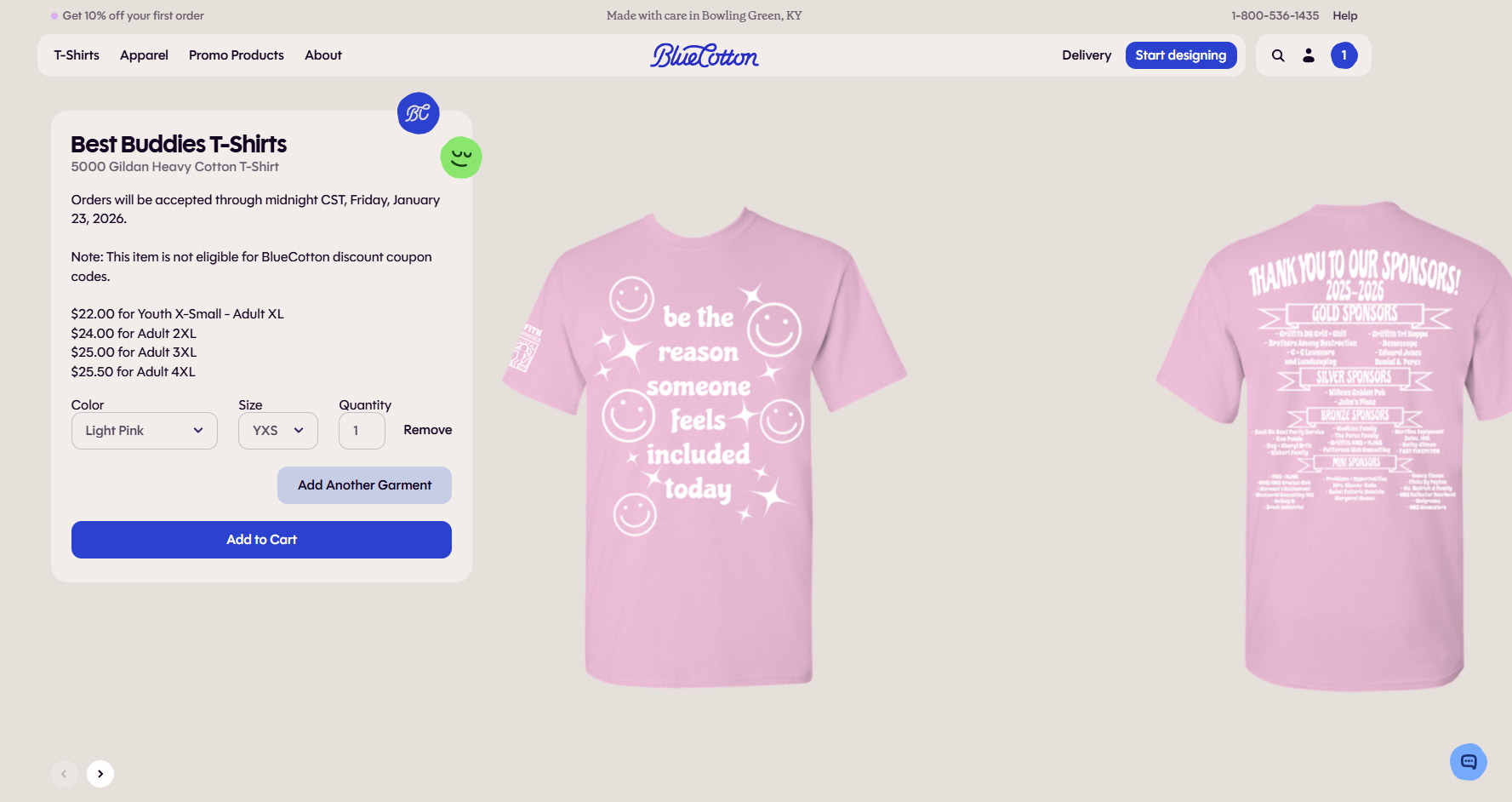
At BlueCotton we know custom apparel is one of the best ways to raise money for your group, organization, or cause. We've faciliated thousands of campaigns for customers over the years and are excited to help you! You create your design, select your garment, then work with our Customer Service team to set the sale price and length of the campaign. You get the word out about the fundraiser and we'll do the rest!
There is no charge to set up your fundraising campaign! Simply create or send us your design, work with our customer service team on the length of the fundraiser, profit margin, and shipping details, and we'll give you a link to your fundraiser to share with your supporters!
We work with the organizer of the fundraising campaign on details of the design and garment. A price and minimum order quantity is provided to the organizer who then adds a profit margin to the sale price. Our services for setting up the campaign are free of charge for up to four different items. Design and decoration method for each item can be the same or different.
Once you've created your design(s). Reach out to our Customer Service team by calling 800-536-1435 with the following information:
1.Date to launch fundraising campaign
2. Date you need custom items in hand.
3. Garment style, color, and size range you'd like to offer.
4. Estimate of how many items you believe will sell.
5. Shipping method - will these ship to each individual or all together to the organizer for distribution
6. Name and address of the person who shoud receive the proceeds check.
From there, we'll confirm the fundraising campaign dates and give you a price for the garments so you can provide us with your final sale price.
Once the link is live we'll share it with you so you can share it with your supporters. The more people the better so you can make the most money!

There are times when fundraising campaigns offer many different options. For instance, a school sports team may want to sell spirit wear to their family and fans including different style garments for men, women and children. We work with customers to set up a separate landing page for these temporary stores where their supporters can shop. There is a small set up fee for these larger stores of $150. This covers up to 5 different designs and 7 types of garments.
We know that your custom apparel will Mark the moment for so many and LOVE sending checks to our fundraising organizers! Once the ordering window closes and the order is produced and shipped, BlueCotton will send a check to the address provided by the organizer.
We do not allow the use of coupon codes for fundraising campaign purchases.
⭐Less is more! Too many options can actually decrease the number of sales you receive. Be strategic in the number of designs and options you present. Work with our team to keep it simple!
⭐Shorter timelines work better! We see the most sales soon after a campaign launches and right before it ends. We recommend a timeline of no more than 2 weeks for your supporters to purchase items. This creates urgency and gets money to your organization faster!
⭐Share, share, share! We can create the most beautiful fundraising campaign but it doesn't work if no one sees it! Be sure to share the link, tell as many people as possible, and remind them of deadlines!

Use our Order Builder to quickly customize your T-shirts and apparel for order.

Go to our Design studio for full customization over design and placement.